 rototype
People & daily work
Conversations reveal knowledge, agreements and exceptions that no dashboard records. I look at how information is created, passed on and understood.
ROBERT JUCHNIEWICZ / ROTOTYPE
From an electrical pulse to everyday work.
We learned to transmit pulses, voices and data. Today, I help connect people and tools so information reaches someone who can act on it.
Integrations · Information flows · Feedback loops
First: harness the energy.
Electrical phenomena have always been around us. Over time, we learned to generate, conduct and control electric current.
A pulse can carry meaning.
A short pulse. A long pulse. A pause. A shared code made it possible to send messages over distance.
A signal carries our voice.
The telephone and radio opened new paths. Changes in a signal could carry speech, sound and images.
Today, information is everywhere.
Networks connect computers. A message, an application event, a log and a CSV row are different records of information.
The same story. Closer to your business.
02 / A DAY AT WORK
Follow the same information from paper to a decision. See what changes when we connect the tools a team already uses.
An employee hands over a report. The planner types in hours; the accountant receives invoices. Each person has part of the picture.
Separate workflows
3 work reports
2 invoices to register
Knowledge is spread across paper and people.
Hours go into a spreadsheet, invoices into accounting software. Messages, copies and manual status checks still bridge the gaps.
Manual entry
2 of 3 reports entered
1 of 2 invoices registered
Entering data alone does not complete a process.
We connect available exports, APIs or events. Hours and invoices reach the right views, together with their source.
Connected flow
3 reports linked to the schedule
Invoice F-042 needs context
The dashboard shows the state and where information is missing.
The planner sees confirmed hours. The accountant receives a specific exception to check. The status reaches the person who started the process.
Feedback loop
↶ Confirmation returns to the team24 h visible to the planner
Employee sees: report received
Automation moves data. People add context and make decisions.
Illustrative scenario · sample data
First I understand the information flow. Then I choose the connections.
Conversations, logs, traces, metrics and CSV files help locate the bottleneck. Sometimes connecting what already works is enough.
03 / PEOPLE · DATA · SYSTEMS
A team has routines, a budget and tools that already work. I start there and look for the point where a focused connection can help.
Conversations reveal knowledge, agreements and exceptions that no dashboard records. I look at how information is created, passed on and understood.
Logs, traces, metrics and CSV reports help reconstruct events and handovers. I compare them with everyday practice to investigate possible bottlenecks.
Existing software, interfaces, exports, permissions and recurring costs shape what is practical. Ongoing maintenance is part of that decision.
Depending on the starting point: metrics in OpenMetrics format, views in Grafana or an existing CSV export. The question we need to answer determines the choice.
TURN THAT UNDERSTANDING INTO A DECISION
When individual tools work, I examine the handovers: what information is missing where? Which API or export could close that gap?
Once the workflow is understood, repetitive steps can be automated. Ownership, exceptions and feedback belong in the same design.
When a real gap remains, a website, portal or small custom module may fill it. Scope, operation and handover are considered together.
04 / FROM THE IMPLEMENTATION
Zentrali and the connected Aroma and Helvetia websites show my work so far. Here are my contribution, the connections and the publicly accessible interfaces.
01 / Web app · customer portal · operations
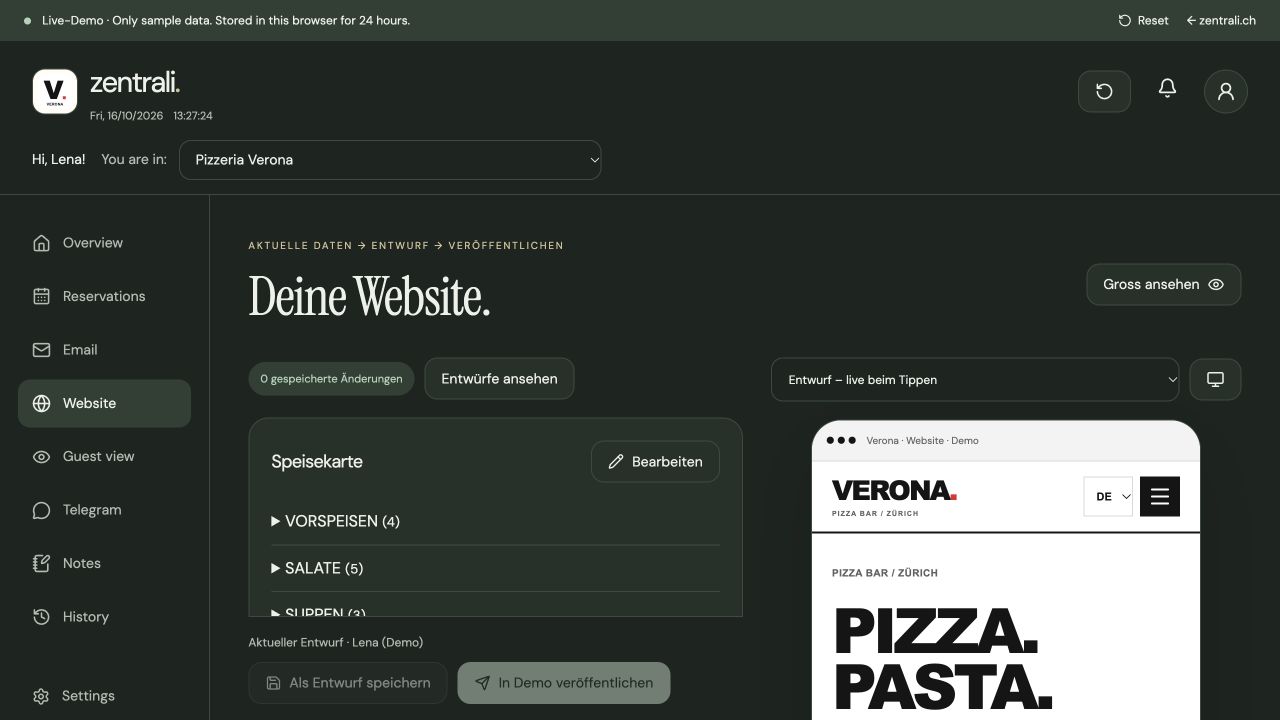
The portal and connected websites are published. I checked the website editor and preview in the public demo; the restaurant publishing workflow is documented in the code and operating records.
Try it yourself: Verona is a fictional restaurant. Email and Telegram are simulated in the demo; no real messages are sent.
02 / Websites · digital menus · integration
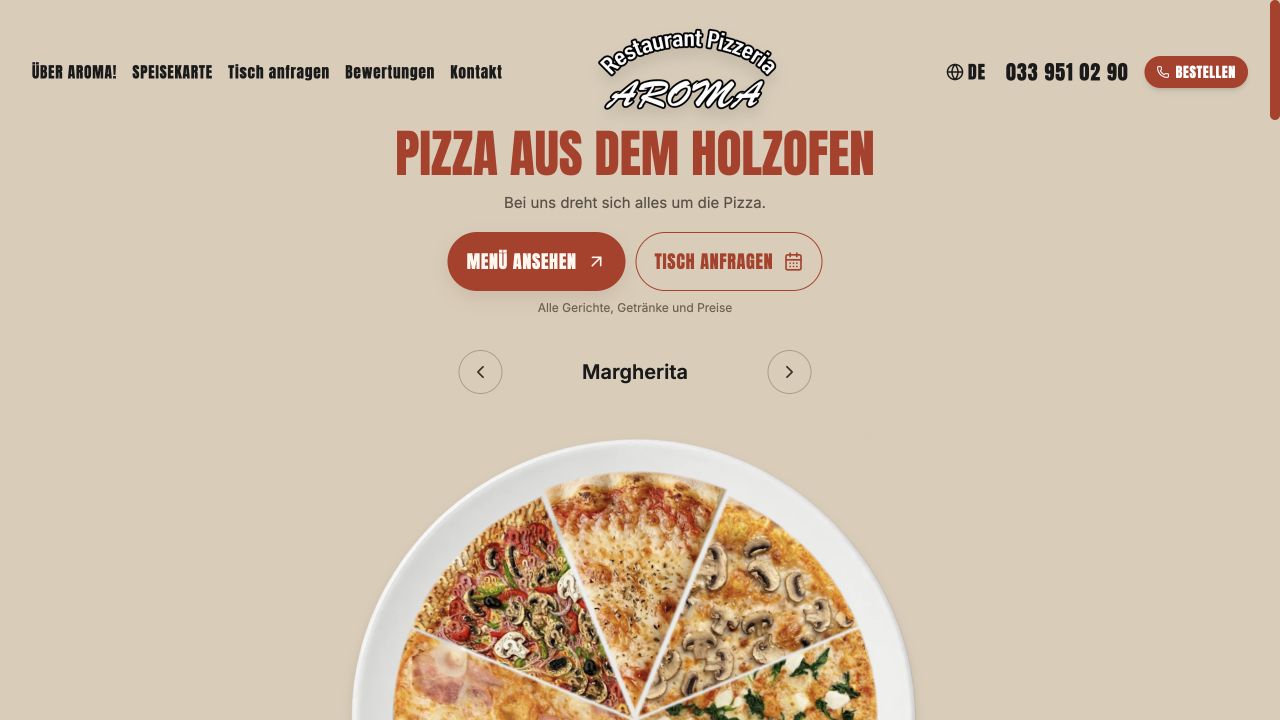
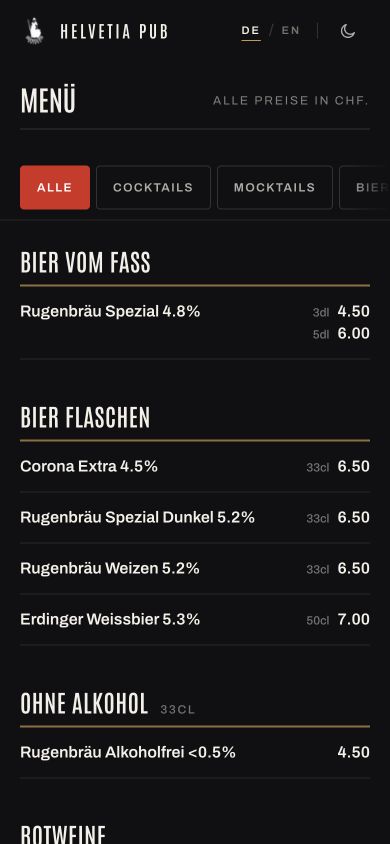
The public websites and menus are accessible. I checked the Helvetia menu and language switch, and the available Aroma form. This review did not include a new test reservation or email delivery.
Aroma and Helvetia are connected implementations within the Zentrali ecosystem. The Aroma version linked here runs on its Zentrali subdomain.
05 / WORKING WITH AGENCIES
I work with your existing software, data flows and team practices. Together we define the part I will take on: analysis, integration, automation or technical implementation.
Discuss working togetherMap the existing systems, people involved and unresolved connections together.
Implement a bounded workflow and follow the information through to the result.
Provide code, configuration and a clear handover for the team.
06 / FROM UNDERSTANDING TO OPERATION
Understand the goal, daily work, people and existing tools.
Bring available data and observations together. Record possible bottlenecks as hypotheses.
Choose a manageable intervention and check technical feasibility.
Check the result, ownership, failure cases and feedback together.
Plan the handover, operation and agreed review of the effect.
07 / START WITH YOUR DAILY WORK
Describe one specific workflow: who does what, with which tools, and where information or feedback is missing. A few sentences are enough to start.
Describe your workflow by emailDirect contact
kontakt@rototype.chI will get back to you with questions and a suggestion for the first part we could investigate.